Interactive learning application
Aviation Lab
A browser-based engine explorer with selectable components, cutaway views and motion controls.
Explore the application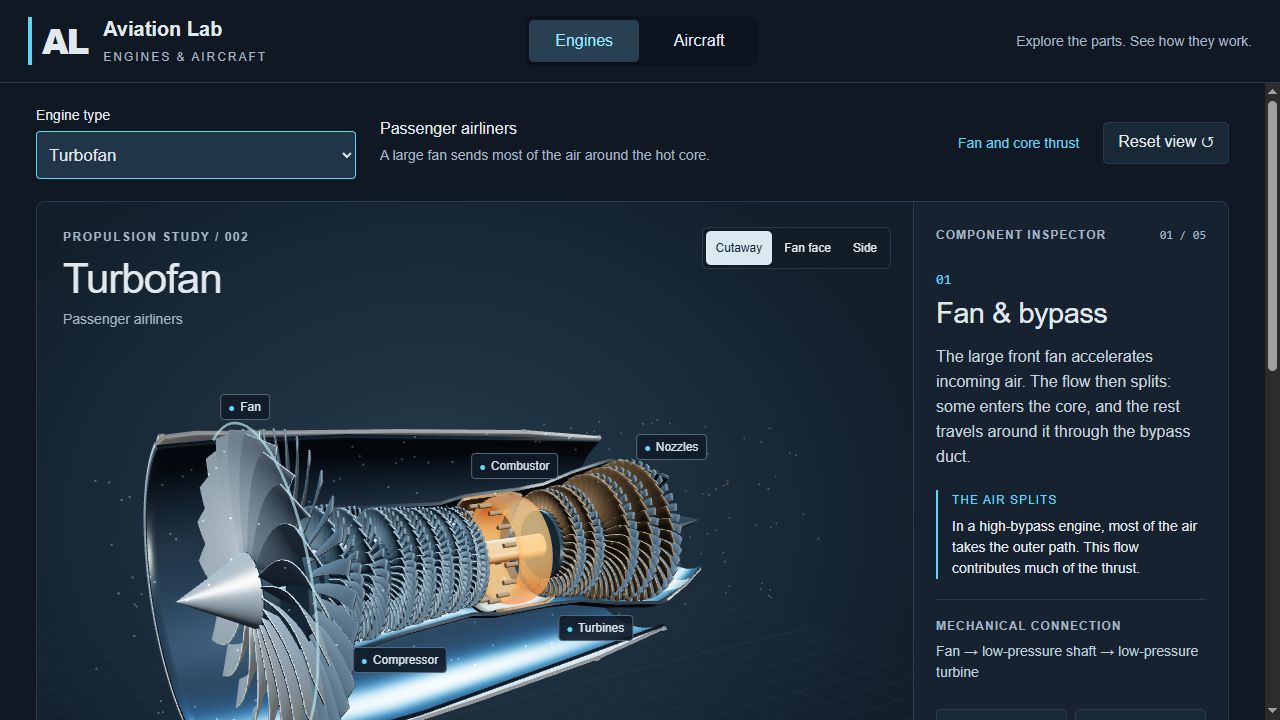
The application
Aviation Lab presents engine information through a 3D model and a component inspector. Visitors can rotate the view, select a component and read the explanation alongside the part they are examining. The engine selector provides several engine types within the same interface.
What visitors can explore
The turbofan view separates the bypass and core airflow and identifies the fan, compressor, combustor, turbines and nozzles. Cutaway, front and side views help visitors inspect different parts of the model. Motion, casing and label controls let them adjust the presentation.
- Select an engine type and inspect its components
- Rotate and zoom the 3D view
- Adjust motion, airflow labels and the casing view
- Follow the illustrated airflow and shaft connections
What this demonstrates
The example shows how an interactive web application can bring a visual model, explanatory content and inspection controls into one page. Similar interaction patterns can be scoped for product explanations, exhibition displays and technical learning material.
Scope of the example
This is an illustrative learning application. Its motion and diagrams are explanatory; it is not an engineering performance simulator or a certified training resource.